🔒 Private — Sales Team Only

Sales Rep
Sales Tools

Everything you need to find prospects, open conversations, handle objections, and close the sale. Use these resources on every call, every day.


Commission Structure

Understand what you earn on every sale so you can stay motivated and track your income. Every closed deal counts — and they stack up fast.

Package Setup Fee Monthly Bill Your Commission Your Monthly Earnings
Core System $0 setup $497/mo 15% of monthly bill — perpetual $74.55/mo forever
Growth System $0 setup $597/mo 15% of monthly bill — perpetual $89.55/mo forever
Concierge System $0 setup $697/mo 15% of monthly bill — perpetual $104.55/mo forever
💡
Pro tip: Lead with Growth or Concierge — higher monthly bills mean higher perpetual commissions. At $89.55/mo for Growth, a client who stays 3 years pays you over $3,000 from a single sale. Upsell Core clients to Growth once they see results.

Where to find your prospects

The best leads are businesses already spending money to get customers — they understand marketing value and are much easier to sell to. Here’s where to find them.

Yelp
yelp.com
Yelp is a goldmine. Search for contractors, HVAC, plumbers, roofers, landscapers, and electricians in any city. Businesses listed on Yelp are already investing in online presence — they’re warm to the concept of spending money on business growth.
  • Go to yelp.com and search “contractor” or “HVAC” + any city
  • Filter by 3–4 stars — businesses frustrated with their reviews are prime targets
  • Look for businesses with 10–50 reviews — established but not massive
  • Click through to their website — if it’s outdated or missing, lead with web design first
  • Collect: business name, phone number, owner name if visible, website URL, review count
  • Note any negative reviews mentioning “hard to reach” or “slow response” — that’s your pain point
🗺️
Google Maps
google.com/maps
Search any trade in any city on Google Maps. Businesses showing up in the local pack are actively trying to be found — they’re invested in growth. Businesses with few reviews or no website are the easiest conversions.
  • Search “roofing contractor [city]” or “plumber near [city]”
  • Click on listings — note phone number, website, review count, and last review date
  • Businesses with under 20 reviews and no automated follow-up system are perfect targets
  • Use the “Suggest an edit” page to find owner details sometimes listed publicly
  • Look for businesses that respond to reviews — they care about reputation, a key selling point
🏗️
HomeAdvisor / Angi
homeadvisor.com · angi.com
Contractors listed here are already paying for leads — sometimes $20–$80 per lead. They deeply feel the pain of lead costs and poor follow-up. These are some of your hottest prospects because they already know leads = money.
  • Search your target trade in any zip code — contractor profiles are publicly visible
  • Find their direct contact info from their profile or business website
  • Opening line: “I noticed you’re on HomeAdvisor — are you happy with your cost per lead?”
  • Transition: “What if I could show you how to make your existing leads close at a higher rate?”
🔨
Thumbtack
thumbtack.com
Thumbtack contractors are actively paying per-quote for new business. Same psychology as HomeAdvisor — they’re spending money on leads but often have no system to properly follow up or convert them.
  • Search any home service trade in any city
  • Profiles often include phone numbers or websites
  • Businesses with a lot of “hired” badges are active and scaling — perfect timing
  • Angle: “You’re already paying for leads — let’s make sure none of them fall through the cracks”
📘
Facebook Business Pages
facebook.com
Search Facebook for local contractors — many have business pages with contact info. Businesses running Facebook ads are especially warm because they’re already spending on growth. Groups like “HomeAdvisor Contractors” or trade-specific groups are goldmines.
  • Search Facebook for “[trade] [city]” to find local business pages
  • Join local contractor or home service Facebook groups — introduce yourself and DM members
  • Look for businesses posting jobs or estimates in community groups — reach out directly
  • Check if their page has a website linked — no website = lead with web design
  • Message angle: “Hey [name], I saw your page — do you use any system to follow up with leads automatically?”
💼
LinkedIn
linkedin.com
Search for “owner” or “founder” at roofing, HVAC, plumbing, or electrical companies. LinkedIn decision-makers are primed for business tools and often more open to conversations about growth systems.
  • Search: “owner HVAC [city]” or “founder roofing [state]”
  • Send a connection request with a note: “Hey [name] — I work with contractors to automate their lead follow-up. Mind if I connect?”
  • After connecting, send a short value message (see follow-up scripts section)
  • Look for contractors posting about business frustrations — those are the warmest leads
📋
State Contractor License Databases
Your state contractor licensing board
Most states publish licensed contractor lists publicly. These are verified, active businesses — great for building a clean list. Search your state name + “contractor license lookup” to find the database.
  • Google “[your state] contractor license lookup” to find the public database
  • Filter by trade type and county/city
  • Cross-reference with Google Maps to find contact info and see their online presence
  • A missing or weak Google presence is your opening — lead with web design or reviews system
🏠
Nextdoor
nextdoor.com
Nextdoor has a “Local Business” section where contractors post. These are typically smaller operations that are scrappy and growing — very open to tools that help them compete with bigger companies.
  • Search the Business Directory for your target trades
  • Look for businesses recommended in neighborhood posts — they have social proof but need systems
  • Opening: “I saw you were recommended on Nextdoor — that’s great. Are you capturing all those leads automatically?”
🎯
Best prospect profile: A contractor doing $200k–$2M/year, 2–15 employees, active on at least one lead platform (Yelp, HomeAdvisor, Google), under 50 Google reviews, and no dedicated admin staff. They’re busy, overwhelmed, and spending money on leads they’re not converting. That’s your person.

Call Scripts

Industry-specific cold call scripts, discovery questions, pitches, and objection handlers — tailored for every industry Orbintra serves. Pick your industry and start dialing with confidence.

📞
Industry Call Scripts
Tailored cold call openers, discovery questions, pitches, and objection rebuttals for all 14 industries — Real Estate, Insurance, Medical, Auto Repair, Restaurants, Fitness, Salons, Cleaning, Fencing, Plumbing, HVAC, General Contractors, Car Dealerships & Furniture.
14
Industries
Open Scripts →

Text, Voicemail & Email Scripts

Most sales don’t close on the first contact. Follow up at least 5 times across different channels before moving on. Persistence is professionalism in sales — not annoyance.

📲 Voicemail Scripts

📳
Cold Voicemail #1 — First Attempt
“Hey [Owner Name], this is [Your Name] calling from Orbintra. I work with contractors and home service companies to set up automated follow-up systems so no lead ever goes cold. I’d love to show you how it works — takes about 10 minutes. Give me a call back at [your number] or I’ll try you again in a couple of days. Thanks [Owner Name].”
✎ Keep it under 30 seconds. Say their name twice — beginning and end. Always say you’ll call back so they expect it.
📳
Voicemail #2 — Second Attempt (3 days later)
“Hey [Owner Name], [Your Name] from Orbintra again. I wanted to follow up because I genuinely think what we do could help your business. We install done-for-you automation systems that follow up with leads automatically, send contracts, and collect Google reviews — and we go live in under two weeks. Worth a 10-minute call. I’m at [number]. Thanks.”

💬 Text Message Scripts

After First Call Attempt — No Answer

“Hey [Name] — [Your Name] from Orbintra. Just tried to reach you. We set up automated lead follow-up systems for contractors — most clients close 30-50% more jobs. Worth a quick call? What’s a good time for you?”

After They Expressed Interest But Went Cold

“Hey [Name], checking back in. I know you were interested in the Orbintra system — just want to make sure I answer any questions you had. We can do a quick 10-min call whenever works for you. Still interested?”

The “Value Drop” Text — Send Without Warning

“Hey [Name] — quick stat for you: contractors who follow up within 5 minutes are 21x more likely to close the lead vs following up in 30 minutes. That’s the gap our system closes. Worth a call?”

The “Break Up” Text — After 5+ Attempts

“Hey [Name] — I’ve reached out a few times and haven’t heard back, so I’ll leave you alone after this. If you ever want to see how contractors are automating their lead follow-up and reviews, I’m here. Wish you the best with the business — [Your Name].”
✎ Break-up messages get some of the highest response rates. The “I’ll leave you alone” line triggers people to respond because they feel like they’re losing access to something.

📧 Email Scripts

Cold Outreach Email — Short Version

Subject: Quick question about your leads, [Name]
Hey [Name],

Quick question — when a new lead comes in right now, how long does it take your team to follow up?

I ask because we work with contractors like you to install automated follow-up systems that respond to every lead within seconds. Most clients close 30–50% more jobs without spending more on advertising.

Worth a 10-minute call to see if it makes sense for your business?

— [Your Name], Orbintra

Follow-Up Email — After No Response

Subject: Re: Quick question about your leads, [Name]
Hey [Name],

Bumping this up in case it got buried. I wanted to share one thing that might be relevant:

One of our clients — a roofing contractor in [state] — was getting 40+ leads a month but only converting about 8–10. Three months after installing the Orbintra system, they were converting 18–22 per month. Same lead volume. No additional ad spend. Just faster follow-up and better workflows.

If that sounds like something worth exploring, I’d love 10 minutes on a call.

— [Your Name]

Objections & Rebuttals

Every objection is a question in disguise. When someone pushes back, they’re not saying no — they’re saying “I’m not convinced yet.” Your job is to address the real concern underneath the objection.

🧠
The Formula: Acknowledge → Empathize → Pivot → Close. Never argue. Never get defensive. Always agree with part of their concern before redirecting.
“I’m not interested.”
The Real Concern: They don’t see value yet — they haven’t heard the pitch.

This is the most common brush-off and it usually means they haven’t understood what you’re offering. Don’t fight it — redirect to curiosity.

“Totally fair — I’d probably say the same thing. Can I ask you one quick question before I let you go? When a lead comes in right now, how fast does someone on your team follow up? … [let them answer] … That’s actually the exact thing I help contractors with. If I’m off base after 60 seconds, I’ll let you go. Deal?”
“I already have software / a CRM.”
The Real Concern: They think they’re already covered.

Most contractors using software like Jobber, ServiceTitan, or even just QuickBooks are using it for invoicing — not for automated lead follow-up or reputation building. There’s almost always a gap.

“That’s great — most of our best clients already have some software in place. What we’re not is another software tool you have to learn. We’re the layer on top that makes everything work automatically. Quick question — when a new lead comes in right now, does your current system automatically text or call them back within 60 seconds? … [They say no] … That’s exactly what we add.”
“It’s too expensive.”
The Real Concern: They don’t see the ROI yet.

Never justify price before you’ve established value. Go back to their numbers and do the math with them live on the call.

“I hear you — it’s a real investment. Help me understand this though: you mentioned an average job is worth about [X]. If our system helped you close just 2 extra jobs a month — which is conservative — that’s [2x] every single month. The setup pays for itself in [X weeks]. After that, every month is pure profit. Does that math make sense?”
“I don’t have the budget right now.”
The Real Concern: Cash flow or timing hesitation.

Explore whether this is a real budget issue or a stall. If cash is genuinely tight, paint the picture of what staying stuck is costing them.

“I totally understand — I work with a lot of contractors and cash flow is real. Let me ask though: how much do you think you’re leaving on the table every month in leads that go cold or don’t convert? Because if that number is bigger than the investment, then waiting is actually costing you more. What if we looked at starting with our entry-level package and scaled up once it’s paying for itself?”
“I need to think about it.”
The Real Concern: Either they have an unanswered question or they’re not convinced yet.

“I need to think about it” almost always means one of three things: they have a concern they haven’t voiced, they need approval from someone else, or they’re not fully sold yet. Dig in.

“Of course — this is a real decision and I respect that. Can I ask what specifically you’d be thinking through? Is it the price, the timing, or is there something about how the system works that I didn’t explain clearly? I’d rather answer any concerns now than have you sitting on an unanswered question.”
“I need to talk to my partner / spouse / business partner.”
The Real Concern: Genuine — or using it as a delay tactic.

Either way, try to get them on a call together or at minimum lock in a specific follow-up time.

“Absolutely — that’s smart. When is a good time to get both of you on a call together? I’d love to answer any questions for both of you at once so no one’s trying to explain something secondhand. I can work around whatever schedule works for you both — does [day] work?”
“We’re doing fine on our own.”
The Real Concern: They don’t feel the pain — yet.

Don’t try to convince them they’re struggling. Instead, reframe around opportunity — what they could be doing better, not what they’re doing wrong.

“That’s awesome — honestly, the businesses that do best with us are already doing well. Our system doesn’t fix broken businesses, it amplifies good ones. You’re already getting leads and closing jobs — we just make sure nothing slips and your Google reputation compounds over time. Can I ask how many reviews you have right now? … What would double that do for your business?”
“I tried something like this before and it didn’t work.”
The Real Concern: Past bad experience — they need differentiation.

This is actually a great objection because you now know what NOT to do. Validate their experience, then clearly separate Orbintra from whatever they tried before.

“I’m sorry to hear that — and honestly, a lot of what’s out there is software tools that leave you to figure it out yourself. What happened — were you given a platform and left to set it up on your own? … [Yes] … That’s the biggest difference with us. We don’t sell you software. We build everything for you. You don’t touch a thing. If the old system failed because nobody did the setup — that’s exactly why Orbintra exists.”
“How do I know this will actually work for my business?”
The Real Concern: Risk aversion — they need social proof and specifics.
“That’s a fair question and honestly the right one to ask. Here’s what I can tell you: we’ve installed systems for 47+ contractors and service businesses and we’ve seen consistent results — more leads converted, more reviews coming in automatically, less admin time. And we go live in under 14 days. If after 30 days you’re not seeing more leads coming through the system, we’ll work with you until it’s right. We’re not a software company that disappears — we’re in your corner every month.”

How to ask for the sale

The close isn’t a trick — it’s the natural conclusion of a good conversation. If you’ve done the discovery and handled the objections, asking for the sale should feel like a logical next step, not pressure.

🔑 The Assumptive Close

Assume they’re moving forward and ask a logistical question.

“So based on everything you’ve told me, I think the Growth System is the right fit. To get you started, I’ll send over the checkout link right now — do you want that sent to this number or do you have an email address handy?”

⚖️ The Choice Close

Give them two options — both move forward.

“Based on what you’ve shared, I think you’d do great with either Core or Growth. Core is $497 a month with no setup fee — Growth is $597 a month and adds AI qualification and the performance dashboard. Both launch in under 14 days. Which one feels like the right starting point for you?”

📅 The Urgency Close

Create a real reason to decide now — tied to their pain.

“You mentioned you’re busy season is coming up in [month]. If we start today, we can have your system live before your peak period — which means you’re capturing every lead at your busiest time instead of watching them go cold. If we wait another few weeks, that window closes.”

💸 The ROI Close

Do the math with them live.

“Let’s do the math together. You said an average job is $1,800 and you get about 30 leads a month. Even if we only help you close 2 extra jobs per month, that’s $3,600 in new revenue. Our system is $497 a month. That’s a 7x return. Does it make sense NOT to do this?”

🏁 The Summary Close

Recap their pain and your solution, then ask.

“So let me recap what I’m hearing. You’re losing leads because follow-up is slow, paperwork takes too much time, and reviews aren’t coming in consistently. Orbintra fixes all three — done for you, live in 2 weeks, and the first month is free. Based on all that, is there any reason we shouldn’t get you started today?”

🔄 The Take-Away Close

Pull back slightly to trigger their desire.

“Honestly — I want to make sure Orbintra is actually the right fit for you. We work best with contractors who are committed to scaling and want to do things differently. Is that where you’re at right now? Because if it is, I want to get you started. If the timing’s not right, I’d rather wait until it is.”
🚨
After you ask for the sale — be quiet. The next person who speaks loses. Ask the closing question, stop talking, and wait. Silence is uncomfortable but it’s working in your favor. Let them fill it.

What separates top reps

Sales skills are learnable. But these fundamentals separate reps who hit quota from reps who dominate it. Build these habits and the scripts become secondary.

📞
Call volume beats everything
The rep who makes 50 calls a day will always outperform the rep who makes 15 perfect calls. Don’t overthink — dial. Improvement comes from reps, not preparation.
🎯
Know their pain before you pitch
Never pitch before you ask two or three discovery questions. The more they talk about their problems, the more emotionally invested they become in solving them — with you.
🔁
Follow up 5+ times minimum
80% of sales happen after the 5th contact. Most reps quit after 2. Be the one who shows up consistently — it signals professionalism and earns trust.
🧠
Detach from the outcome
If you need every sale, prospects can feel it. Your job is to find the people who are a fit — not to convince everyone. “Not for everyone” is a more powerful posture than “please buy.”
📊
Track everything
Calls made, conversations had, follow-ups scheduled, and closes. If you don’t track it, you can’t improve it. Know your conversion rate at each stage and optimize the weakest one.
🗣️
Lead with questions, not pitches
A rep who asks smart questions is perceived as an expert. A rep who pitches immediately is perceived as a salesperson. Be the former — always.
⏱️
Call during business hours — early
Contractors start early. Call between 7–9am or after 5pm when they’re off the job site. Avoid midday — they’re usually in the field. Tuesday–Thursday are peak pickup days.
💬
Text after every unanswered call
Always follow an unanswered call with a short text. People who won’t pick up will often respond to texts. It’s a different communication mode — use it.
🏆
Sell the outcome, not the features
Contractors don’t care about automations, workflows, or dashboards. They care about more money, less stress, and getting their evenings back. Always translate features into those outcomes.

📋 Suggested Daily Routine for Reps

  • 7:00–8:00am: Early morning calls to contractors before their day gets busy
  • 8:00–9:00am: Prospect research — build today’s call list from Yelp, Google Maps, HomeAdvisor
  • 9:00am–12:00pm: Peak dialing block — aim for 25–30 calls
  • 12:00–1:00pm: Send follow-up texts and emails to leads from yesterday
  • 1:00–4:00pm: Second dialing block — 20+ calls, callbacks, booked demos
  • 4:00–5:00pm: Update your CRM/tracker, log call notes, schedule tomorrow’s follow-ups
  • 5:00–6:00pm: Late afternoon calls — contractors wrapping up job sites are often more relaxed and open to talking
  • Review your numbers: calls made, conversations, follow-ups booked, closes

📈 Key Stats to Drop on Calls

  • Businesses that respond to leads within 5 minutes are 21x more likely to close than those who wait 30 minutes
  • 78% of customers buy from the first business that responds to their inquiry
  • The average contractor loses 60–70% of leads to no-response or slow follow-up
  • Businesses with 50+ Google reviews earn 270% more revenue than those with fewer than 10
  • 92% of consumers read online reviews before making a purchase decision
  • Contractors spend an average of 15–20 hours per week on admin tasks that can be automated
  • 44% of sales reps give up after one follow-up — follow up 5+ times and you eliminate most of your competition

How to sell every feature

Each Orbintra feature solves a specific, painful problem contractors live with every day. Here’s how to position each one, the exact language that lands, and the discovery questions to expose the pain before you pitch the solution.

📄

Estimate & Contract Paperwork Workflows

The feature that saves 10+ hours a week
The Pain You’re Solving
  • Writing out estimates by hand or copy-pasting every time
  • Chasing customers for signed contracts via email or text
  • Estimates sitting unsent for days because the owner is busy
  • No paper trail — verbal agreements that cause disputes
  • Looking unprofessional compared to bigger competitors
What Orbintra Does
  • Professional branded estimates sent automatically after inquiry
  • Digital contracts with e-signature — no printing, no chasing
  • Automatic follow-up reminders if contract isn’t signed in 24hrs
  • Every document stored and searchable — never lose a record
  • Consistent professional presentation on every single job
🔍 Discovery Questions
  • → “When a customer agrees to a job, how do you handle the estimate and contract — is that a manual process?”
  • → “How long does it typically take from a customer saying yes to them having a signed contract in hand?”
  • → “Have you ever had a job fall apart because a customer backed out before signing — or claimed they never agreed to the price?”
  • → “How much time would you say you spend per week just writing out estimates or sending paperwork?”
💬 Selling Language That Lands

“Right now, every estimate and contract your business sends is either taking up your time or someone on your team’s time — and the second you get busy, those start slipping. Our system sends professional, branded estimates automatically after a customer inquiry. If they don’t sign within 24 hours, it follows up automatically. You don’t touch any of it. The whole paper trail runs itself.”

“Here’s another thing most contractors don’t think about — the moment your estimate hits their inbox looking professional and branded, it signals to the customer that you’re the more credible company. That alone helps you win jobs over competitors who send a text message price.”

📅

Job Tracking & Scheduling

The feature that eliminates chaos and no-shows
The Pain You’re Solving
  • Double bookings from lack of shared scheduling
  • Jobs falling through the cracks when it gets busy
  • Constant “where are you?” calls from customers
  • Team members not knowing their schedule for the day
  • No system for tracking job status — everything in someone’s head
What Orbintra Does
  • Centralized job board — every job, every status, one view
  • Team scheduling with automatic notifications to crew
  • Automated customer reminders 24hrs before every appointment
  • Job status tracking from estimate to complete
  • No more “did anyone follow up on that job?” conversations
🔍 Discovery Questions
  • → “If I called your crew right now and asked what jobs they have this week — would they know off the top of their head or would they have to check with you?”
  • → “Have you ever had a customer call angry because no one showed up — or two jobs get scheduled at the same time?”
  • → “How do you currently track where a job is — is it scheduled, in progress, completed, invoiced?”
  • → “When you get busy, what’s the first thing that starts slipping through the cracks?”
💬 Selling Language That Lands

“One of the biggest margin killers for contractors is operational chaos — double bookings, no-shows, jobs that were never followed up on. Our job tracking system gives you one place where every single job lives. Your whole team sees it. The customer gets automatic reminders. You see the status without having to call anyone.”

“Most of our clients tell us they didn’t realize how many jobs were slipping until they saw everything in one dashboard. It’s not that they were doing anything wrong — they just didn’t have visibility. And you can’t manage what you can’t see.”

🤖

Automated Appointment Scheduling

The feature that books jobs while you sleep — Growth & Concierge
The Pain You’re Solving
  • Back-and-forth texting to find a time that works
  • Leads dropping off during the scheduling process
  • Owner spending 30+ minutes a day on scheduling calls
  • No way to capture appointments after hours
  • Missed opportunities from leads who needed to book immediately
What Orbintra Does
  • Leads book directly into your calendar from a link or text
  • Only shows real available slots — no double booking possible
  • Confirmation and reminders sent automatically to the customer
  • Captures appointments 24/7 — including nights and weekends
  • Syncs with your existing calendar automatically
🔍 Discovery Questions
  • → “When a new customer wants to book an appointment, how does that process work right now — are you going back and forth via text or call?”
  • → “Have you ever had a lead just disappear during the scheduling process — like they were interested but then you couldn’t pin down a time?”
  • → “Do you ever miss appointment requests that come in after hours or on weekends?”
  • → “How much time do you or your team spend per day just coordinating schedules with customers?”
💬 Selling Language That Lands

“Think about the last time a customer said ‘yeah I’m interested, what’s your availability?’ — and then it took three texts, two missed calls, and two days to actually lock in a time. Some of those people moved on before you ever got them booked. Our automated scheduling system lets customers book directly into your available slots with one click. You wake up in the morning with jobs already on the calendar that booked themselves overnight.”

“This is especially powerful for the Growth package because it pairs with AI lead qualification — the system qualifies the lead AND schedules the appointment, all before you ever talk to them. You show up to calls with pre-qualified, pre-scheduled prospects. That’s a completely different sales experience.”

🔁

Follow-Up Sequences for No-Answers

The feature that recovers jobs your competitors are stealing
The Pain You’re Solving
  • Calling a lead once, getting voicemail, never following up
  • Leads going cold because the owner is too busy to follow up manually
  • No consistency — some leads get 3 follow-ups, some get zero
  • Missing out on customers who needed a nudge to commit
  • Revenue leaking through the gaps between initial contact and booking
What Orbintra Does
  • Multi-step follow-up sequence runs automatically for every unanswered lead
  • Mix of texts, emails, and voicemail drops — spaced over days
  • Sequence stops the moment a lead responds or books — no spamming
  • Every lead gets the same consistent, professional follow-up every time
  • Recovers 20–35% of leads that would otherwise go cold
🔍 Discovery Questions
  • → “When you call a lead and they don’t pick up — what happens next? Does someone follow up, or does that lead just sit there?”
  • → “How many times do you or your team typically follow up on a cold lead before moving on?”
  • → “Have you ever had a customer call back a week later and say they’re ready — but you had already forgotten about them or lost the info?”
  • → “Would you say follow-up is consistent across your whole team — or does it depend on who picks up the lead?”
💬 Selling Language That Lands

“There’s a whole category of revenue that most contractors are completely ignoring — it’s the leads who didn’t answer the first time but would have booked if someone followed up consistently. The average contractor follows up on a lead once, maybe twice. Our system follows up five or six times over several days — through text, email, and voicemail — and it stops the second they respond. It’s persistent but professional, and it recovers jobs that would have gone to whoever followed up next.”

“The key thing is consistency. Right now, follow-up quality probably depends on who handles the lead and how busy they are that day. Our system treats every lead the same — every single time, no exceptions.”

📋

Permit & Compliance Assistance

Concierge only — the feature that protects their license and reputation
The Pain You’re Solving
  • Permits getting missed on jobs that require them
  • Work getting flagged or stopped by inspectors
  • No system for tracking compliance deadlines or documentation
  • Insurance or liability exposure from undocumented work
  • Owner personally managing all permit paperwork and filing
What Orbintra Does
  • Automated reminders to pull permits before job starts
  • Compliance checklist built into every applicable job type
  • Documentation storage — inspection records, permits, sign-offs
  • Flags jobs that are missing required compliance steps
  • Protects the business from liability and license risk
🔍 Discovery Questions
  • → “For jobs that require permits — how are those being tracked and managed right now? Is that on you personally?”
  • → “Have you ever had a job stopped mid-work because a permit wasn’t pulled or an inspection was missed?”
  • → “Do you have a way to make sure every job that needs a compliance step actually gets it — or is that running on memory?”
  • → “If something went wrong on a job that didn’t have the right permits — would you have documentation to protect yourself?”
💬 Selling Language That Lands

“For contractors doing bigger jobs — roofing, electrical, HVAC, plumbing — compliance isn’t optional. One missed permit can stop a job, trigger a fine, or worse, expose you to a lawsuit. The Concierge package includes compliance tracking built directly into your job workflow. Before a job starts, your system flags if a permit is needed. During the job, inspection steps are tracked. After completion, everything is documented and stored. You’re never flying blind.”

“This is the feature that separates a business that scales safely from one that grows fast and then gets shut down by a code violation. It’s not exciting — but it’s the kind of thing that protects everything you’ve built.”

🧠
Feature stacking tip: Don’t pitch features in isolation. Every feature you mention should connect to the next one. Lead follow-up gets them interested → estimates close them faster → scheduling removes friction → follow-up sequences catch the ones who don’t respond → compliance keeps them protected. It’s one system, not six tools.

The Full Walk-Through Script

Use this script when you have a fully engaged prospect who’s ready to hear everything — typically a scheduled follow-up call or a warm prospect who asked for more detail. This ties all features together into a seamless story of what their business looks like with Orbintra running behind the scenes.

⏱️
Estimated call time: 20–35 minutes. Go at their pace. Pause after each feature section. Ask “does that make sense for your operation?” before moving on. The goal is to get them nodding and saying “yeah, that’s exactly what we need” multiple times before you ever mention price.
👋
Opening — Set the Agenda & Get Buy-In
First 2 minutes
You
“Hey [Name], thanks for jumping on — I really appreciate your time. So here’s what I’d like to do with this call. I want to walk you through exactly what Orbintra installs and how it works, but I don’t want to just pitch you something. I want to understand your business first and make sure what we do actually makes sense for you. Fair enough?”
✎ Pause. Let them say yes. This positions you as a consultant, not a salesperson.
Then
“Before I get into anything — tell me a little about your operation. What do you do, how many people do you have, and what’s a typical busy week look like for you?”
✎ Listen carefully. Take mental notes on: team size, how leads come in, whether they have admin staff, what they’re currently using for paperwork or scheduling. Every detail they give you is ammunition for your pitch.
🔍
Deep Discovery — Find All the Pain Points
5–8 minutes — let them talk
Lead Volume & Follow-Up
“So when a new lead comes in — whether that’s through your website, a referral, or a platform like HomeAdvisor — walk me through what happens. Who picks it up, how fast, and what does that process look like?”
✎ They’ll almost always reveal a gap here. Someone calls back when they can. Sometimes it’s same day. Sometimes it’s the next day. “Good” is still too slow.
Paperwork & Estimates
“Once you’ve talked to a customer and they want to move forward — what does your estimate and contract process look like? Is that something you’re doing manually, or do you have software handling that?”
Scheduling & Job Management
“How are you currently managing your schedule and keeping track of where every job is? Is there a system, a whiteboard, a shared calendar — or is most of it in your head?”
No-Answer Follow-Up
“What happens when you call a lead and they don’t pick up? Does the system do anything automatically, or does someone on your team have to remember to call back?”
Reviews
“How many Google reviews do you have right now? And are customers leaving them on their own or does someone have to ask every time?”
The Big Question
“If you could wave a magic wand and fix the one thing in your business that’s taking up the most time or costing you the most money right now — what would it be?”
✎ This is your anchor for the entire pitch. Whatever they say here — you come back to it at the close. “Remember when you said [X] was your biggest problem? Here’s how we solve that.”
🌉
The Bridge — Transition from Discovery to Demo
You
“Okay — so here’s what I’m hearing. [Summarize 2–3 of their specific pain points back to them.] Does that sound right?”
✎ Let them confirm. This is called mirroring — when they hear their own problems reflected back to them, they feel understood. Now they’re ready to listen to solutions.
Then
“What Orbintra does is solve all three of those at the same time. It’s not a tool you have to learn or maintain — it’s a complete system we build for you that runs in the background of your business. Let me walk you through exactly how it works and you tell me if it sounds like what you need.”
⚙️
The Feature Walkthrough — Paint the Full Picture
Walk through each feature like a story — not a feature list
Chapter 1: Lead Capture & Instant Follow-Up
“So let’s start at the beginning — a new lead comes in. Doesn’t matter if it’s from your website, a Google search, a Facebook ad, a HomeAdvisor listing, or even a missed call. The second that lead hits your system, they get an automatic response. Text message, sometimes email — within 60 seconds. Not an hour, not tomorrow morning — 60 seconds. The message is personalized to your business, introduces who you are, and invites them to book a time or get more info.

You know the stat that businesses responding within 5 minutes are 21 times more likely to close? We make you the one who responds in under 1. Every single time, even at 11pm on a Sunday.”
✎ Pause. Ask: “Is that something that would have made a difference this week with any of your leads?” Let them think about it.
Chapter 2: Follow-Up Sequences for No-Answers
“Now — what about the leads who don’t respond to that first message? This is where most businesses lose a ton of revenue and don’t even realize it. Our system runs a full follow-up sequence — multiple touchpoints over several days — text, email, sometimes a voicemail drop. It’s persistent but professional. And the moment they respond? The sequence stops. They don’t feel spammed — they feel like someone actually cares about their business.

We consistently see contractors recovering 20–35% of leads they would have written off just by having this sequence running. That’s pure found money. No extra ad spend. Just capturing what was already there.”
✎ Pause. Ask: “How many leads do you think you lose every week just because no one followed up consistently?”
Chapter 3: Automated Appointment Scheduling
“Once a lead is engaged and wants to move forward, they can book directly into your calendar. No more back-and-forth. No more ‘what’s your availability?’ texting. They click a link, see your real available slots, pick one, and it’s confirmed. Automatically. Your team gets notified. The customer gets a confirmation and a reminder. This happens whether you’re on a job site, asleep, or out with your family.

For the contractors on our Growth package, this pairs with AI lead qualification — so by the time someone hits your calendar, they’ve already been pre-screened. You’re not burning an hour on a tire-kicker. You’re talking to people who are ready.”
✎ Pause. Ask: “How much time do you think goes into scheduling per week between you and your team?”
Chapter 4: Estimate & Contract Workflows
“Here’s where things start to feel really different for most of our clients. Once a job is confirmed, your system automatically generates and sends a professional branded estimate — your logo, your pricing structure, your terms. The customer gets it in their inbox within minutes of booking. No manual work. No ‘I’ll send that over tonight when I get home.’

When they approve it, a digital contract goes out automatically. One click to sign. If they haven’t signed in 24 hours, they get an automatic reminder. You don’t have to chase anyone. The whole process runs without you.

Think about what that does for your reputation too — every customer is getting the same polished, professional experience every single time. You look like a $5 million company even if you’re running a tight crew of five.”
✎ Pause. Ask: “What does your process look like right now between a customer saying yes and getting a signed contract back?”
Chapter 5: Job Tracking & Scheduling
“Now all of this feeds into your job management board. Every job in your system is tracked from the moment the estimate goes out — scheduled, in progress, completed, invoiced. Your whole team sees it. Your customer gets automatic reminders before their appointment so you stop getting no-shows and ‘when are you coming?’ calls.

When you’re running multiple crews across multiple jobs, this is the difference between your days feeling controlled versus feeling like you’re constantly putting out fires. You can see everything in one place — what’s coming up, what’s in progress, what needs attention — without having to call anyone or remember it yourself.”
✎ Pause. Ask: “Right now — if I asked you how many active jobs you have and what stage each one is at, could you tell me without looking anything up?”
Chapter 6: Reputation & Review Engine
“After a job is marked complete, here’s what happens automatically — the customer gets a text saying thanks for letting us work for you, and here’s a link to leave us a Google review if you had a good experience. No awkward ask. No remembering. Just a simple, well-timed message that converts happy customers into public reviews.

Your Google rating is one of the most powerful sales tools you have. When a homeowner types ‘roofing contractor near me’ and sees 4.9 stars with 80 reviews versus your competitor with 3.8 stars and 12 reviews — you win the call before anyone even picks up the phone. That’s the long-term compounding effect of this feature. Every job either makes you stronger or it doesn’t. This makes sure every completed job works for your reputation.”
Chapter 7: Permit & Compliance (Concierge only — use if applicable)
“For contractors doing work that requires permits or inspections — HVAC, electrical, roofing, plumbing — we also build compliance tracking into your workflow at the Concierge level. Before a job starts, the system flags if a permit is required based on the job type. During the job, inspection checkpoints are tracked. After completion, all documentation is stored and accessible. You never have to worry about a job getting flagged or a license being put at risk because something slipped through.”
🎯
The Vision Statement — Make It Real for Them
This is the most powerful part of the call — slow down here
You
“So let me paint the picture of what your week looks like once this is running.

Monday morning — you check your dashboard. There are three new leads that came in over the weekend. All three got automatic responses within 60 seconds. Two of them booked appointments. One is in a follow-up sequence.

You have four jobs on the board this week. Every customer has already gotten a reminder text. Your crew knows their schedule. Two estimates went out yesterday and one has already been signed — automatically. The other has a reminder going out this afternoon if they haven’t signed by noon.

Tuesday, a job wraps up. That customer automatically gets a thank-you text and a Google review request. By Thursday, you have a new 5-star review on Google.

You spent zero time on any of that. Not one minute of manual follow-up, paperwork chasing, scheduling back-and-forth, or reminder calls. You were on job sites doing the work that actually makes you money.

That is what Orbintra looks like from the inside. Not some software you have to figure out. Not a tool that adds to your workload. A system that runs behind everything — quietly, consistently, every day.”
✎ Pause. Let that land. Don’t rush to price. Let them sit in that picture for a moment. Then ask: “Does that sound like something that would make a difference in your business?”
💰
ROI & Pricing — Anchor to Their Own Numbers
You
“Before I give you the investment number, let me tie it to your business. You mentioned your average job is around [X]. If this system helped you close just 2–3 more jobs a month — which is conservative based on what we see — that’s [2–3x their job value] in added revenue every month. On top of that, you and your team are saving somewhere between 10–20 hours a week on admin. What’s an hour of your time worth?”
Then present the packages
“We have three packages depending on how much you want to automate. Our Core System is designed for businesses ready to stop losing leads and get organized — that’s a one-time setup of $2,997 and $497 a month for us to maintain and optimize it. First month is free, so nothing comes out of your pocket until the system has already been running for 30 days.

Our Growth System adds AI lead qualification and automated scheduling on top of everything Core does — $4,997 to get started, $597 a month. That’s the most popular one because it handles your entire lead-to-booked pipeline automatically.

Our Concierge System adds permit and compliance tracking, custom workflow builds, and priority support — $5,997 setup, $697 a month. That one is for businesses serious about scaling without the owner being in the middle of everything.

Based on what you’ve told me today, I think [specific package] is the right fit for you, and here’s why…”
✎ Always make a recommendation. Don’t make them choose without guidance. Explain why the package you’re suggesting fits their specific situation. Use the pain points they gave you in discovery to justify the recommendation.
🤝
The Close — Bring It Back to Their #1 Pain
You
“At the beginning of our call you mentioned that [their #1 pain point — use their exact words]. Everything we just walked through is specifically designed to fix that. We go live in under 14 days, we build everything for you, and you don’t pay for the first month until it’s already working.

I’d like to get you set up. Are you ready to move forward today, or is there a specific question I can answer first?”
✎ Then stop talking. The next person who speaks is the one who’s deciding. Give them the space to say yes — or to voice the real objection that you can now handle.
🔑
The long-form script only works if you did the discovery. If you don’t know their average job value, how many leads they get, and what their #1 frustration is — you’re just reading a pitch. Do the discovery. Customize the script to their situation. That’s what closes high-ticket deals.

Your at-a-glance cheat sheet

🎯 Best Prospect Profile

  • Contractor or home service business
  • 2–15 employees, $200k–$2M revenue
  • Active on Yelp, Google, or HomeAdvisor
  • Under 50 Google reviews
  • No dedicated admin or operations staff
  • Owner answers the phone themselves

💬 Strongest Opening Lines

  • “When a lead comes in, how fast does your team follow up?”
  • “Are you happy with your cost per lead on HomeAdvisor?”
  • “How many Google reviews do you have right now?”
  • “What happens to a lead if your team doesn’t pick up the phone?”
  • “How much time does your team spend on paperwork per week?”

🔢 Know Your Numbers

  • Core: $2,997 setup + $497/mo
  • Growth: $4,997 setup + $597/mo
  • Concierge: $5,997 setup + $697/mo
  • First month free on all packages
  • Live in under 14 days
  • 100% done-for-you setup

⚡ Top 3 Pain Points to Uncover

  • 1 Leads going cold because of slow follow-up
  • 2 Too much time spent on manual paperwork and admin
  • 3 Not getting enough Google reviews consistently

Find even one of these and you have a conversation. Find all three and you have a close.


Sales Resource Library

All the documents, templates, and tools you need to support your sales conversations. Replace placeholder links with your actual file URLs in the WordPress editor.

📎
File Downloads: Sales Rep Documents You can Download and use for printing and offline use to help you close more sales.
📄 PDF Documents
📊 Spreadsheets & Trackers
🔗 Additional Resources

Marketing Media

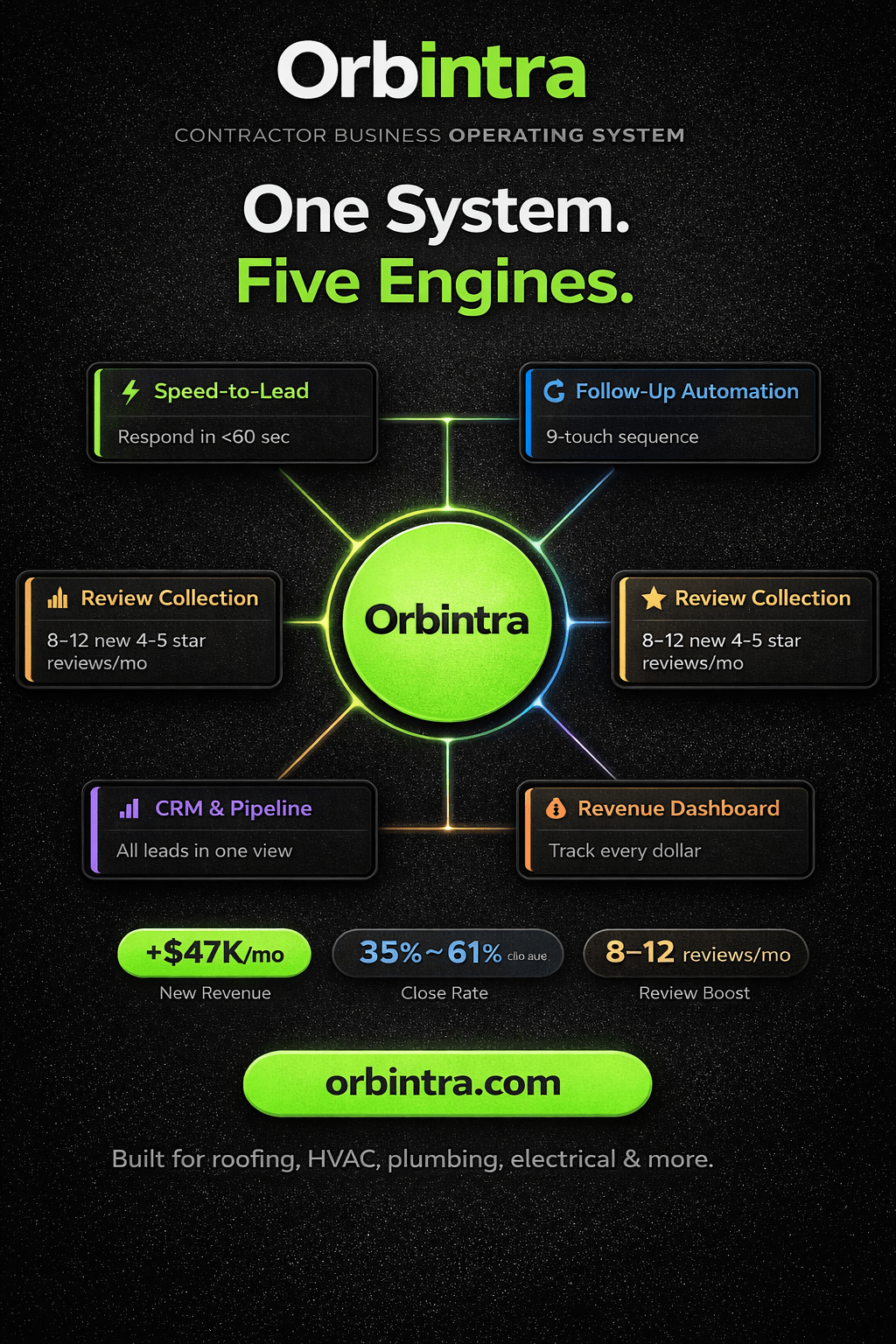
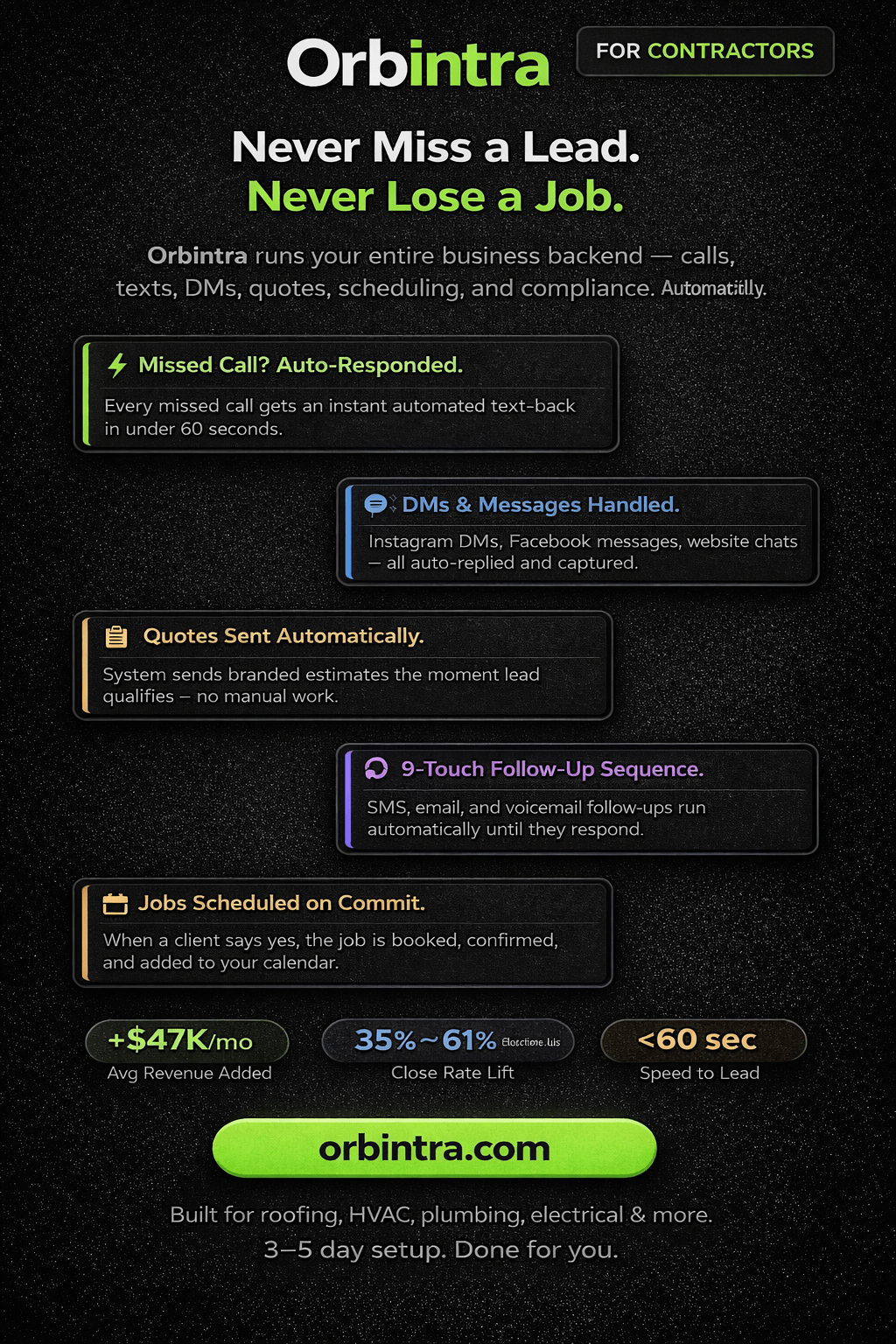
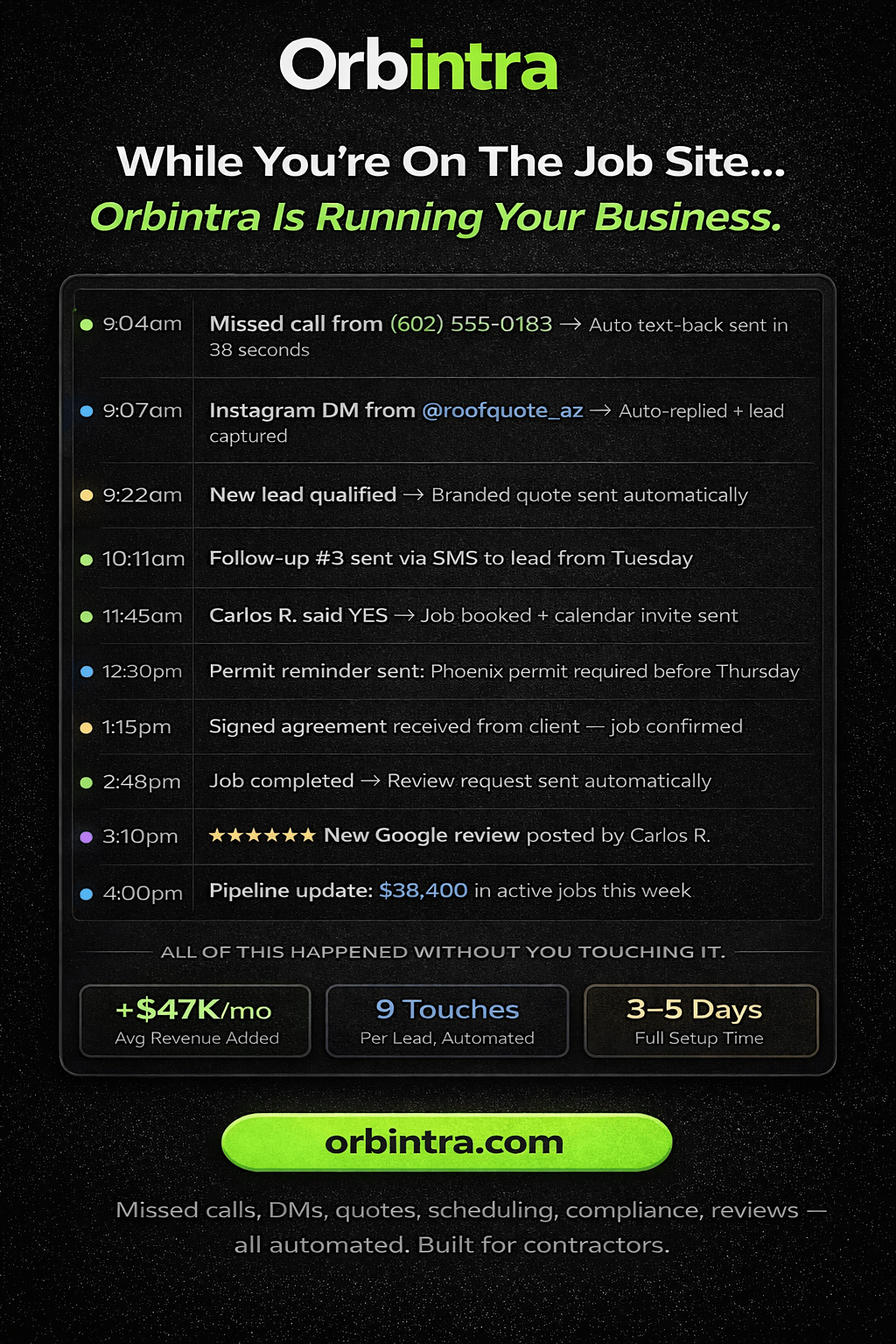
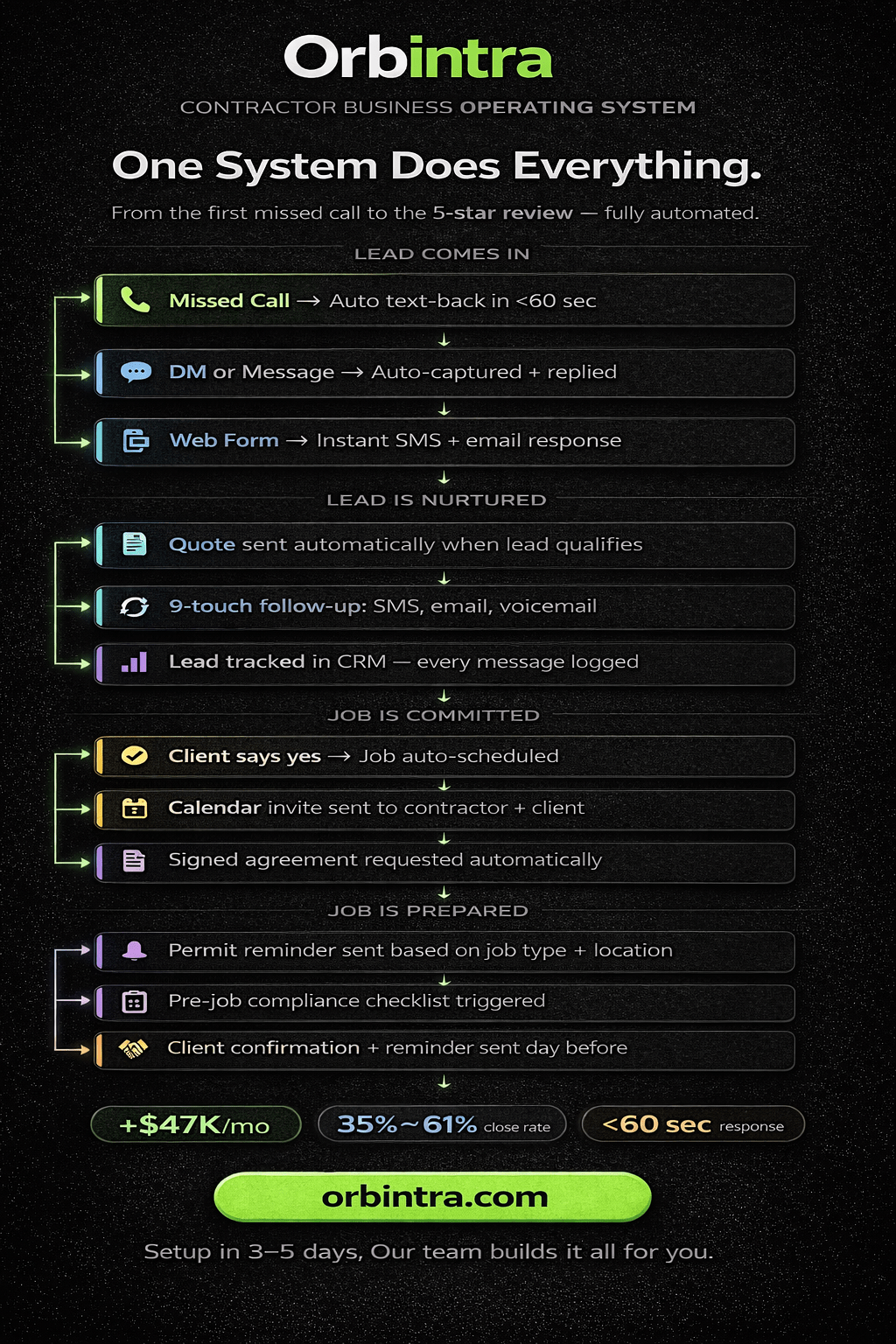
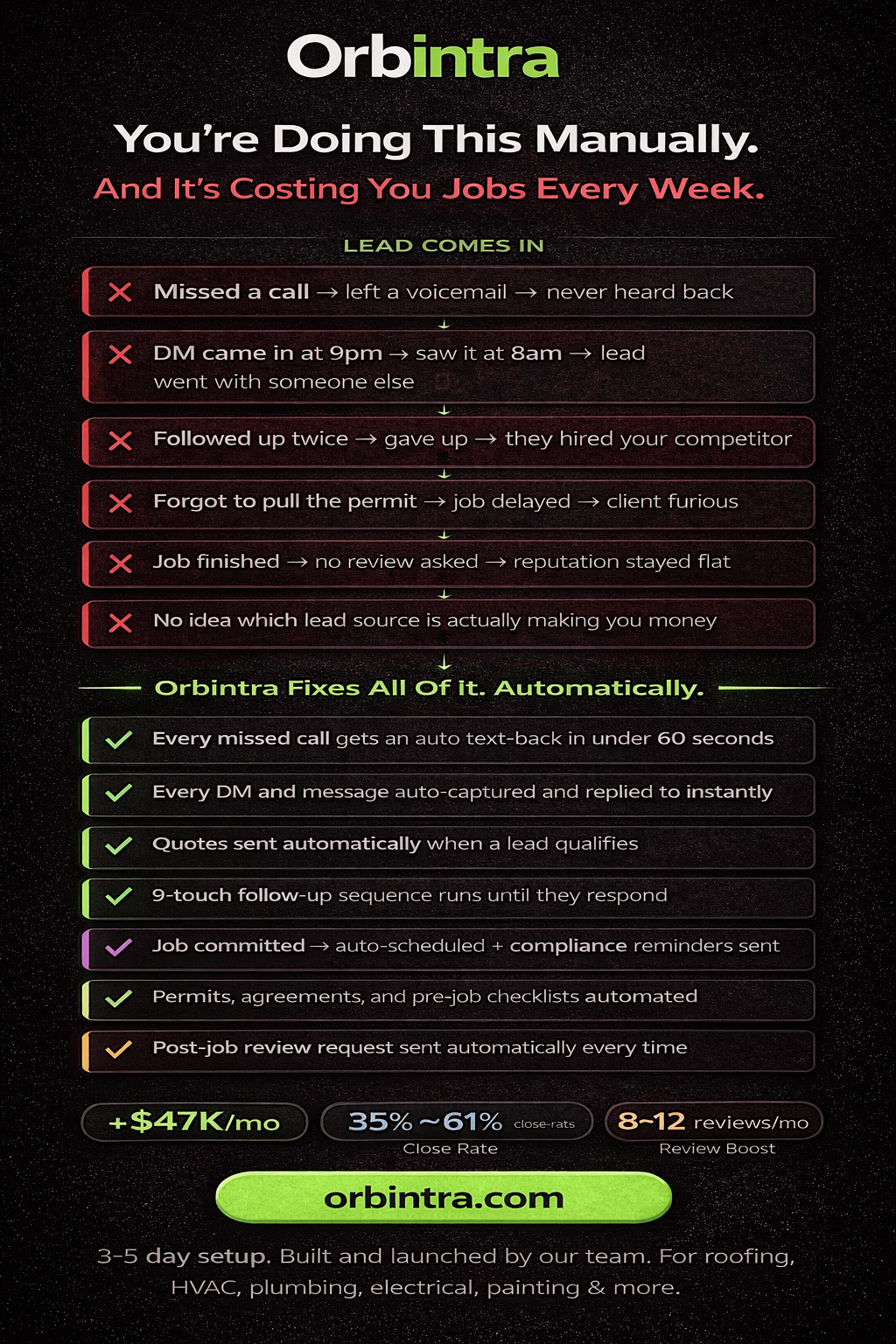
Ready-to-post ad creatives for your own lead generation. Use these on Instagram, Facebook, TikTok, or send directly to warm prospects. Click any image to open full-size in a new tab — then right-click to save and post.
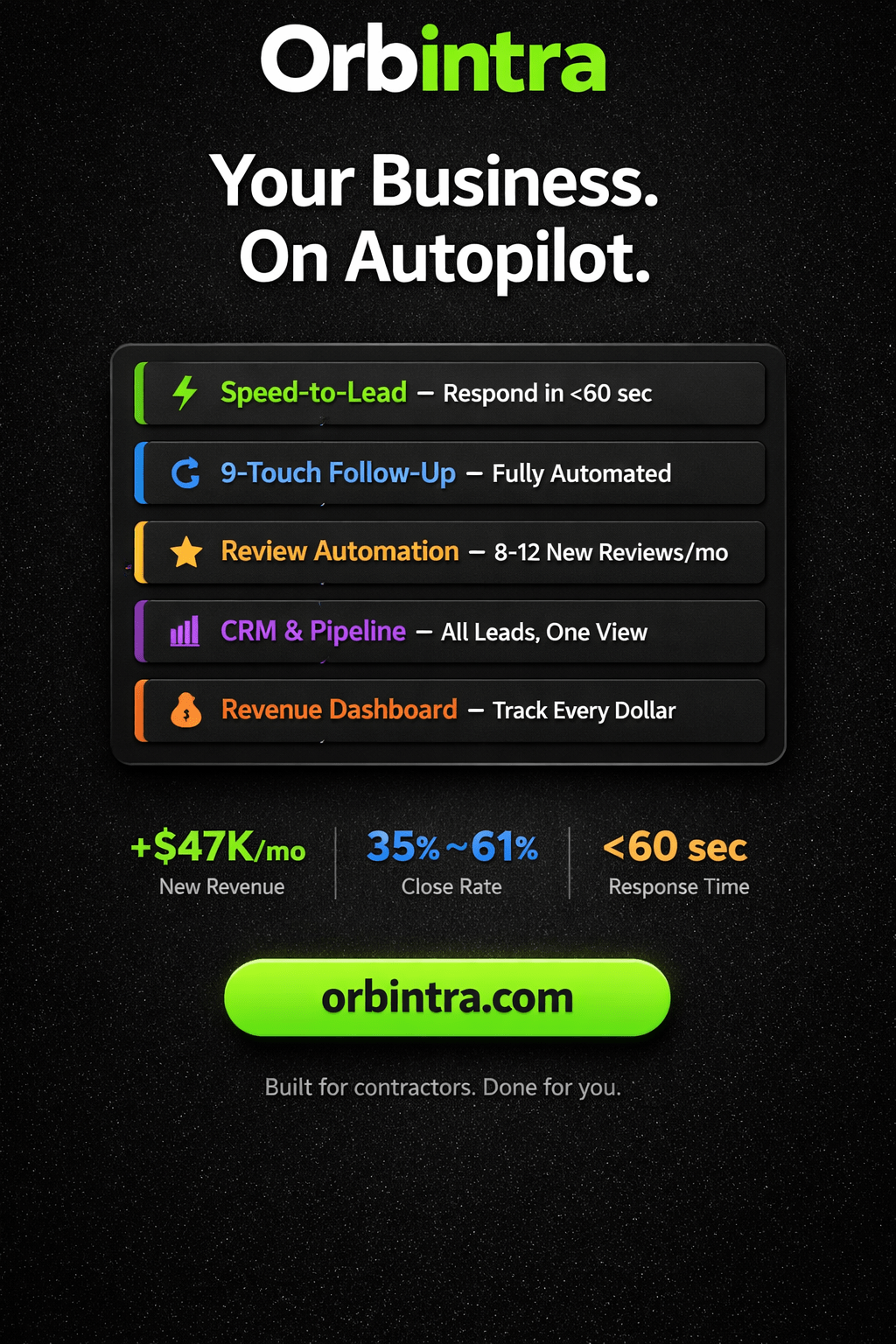
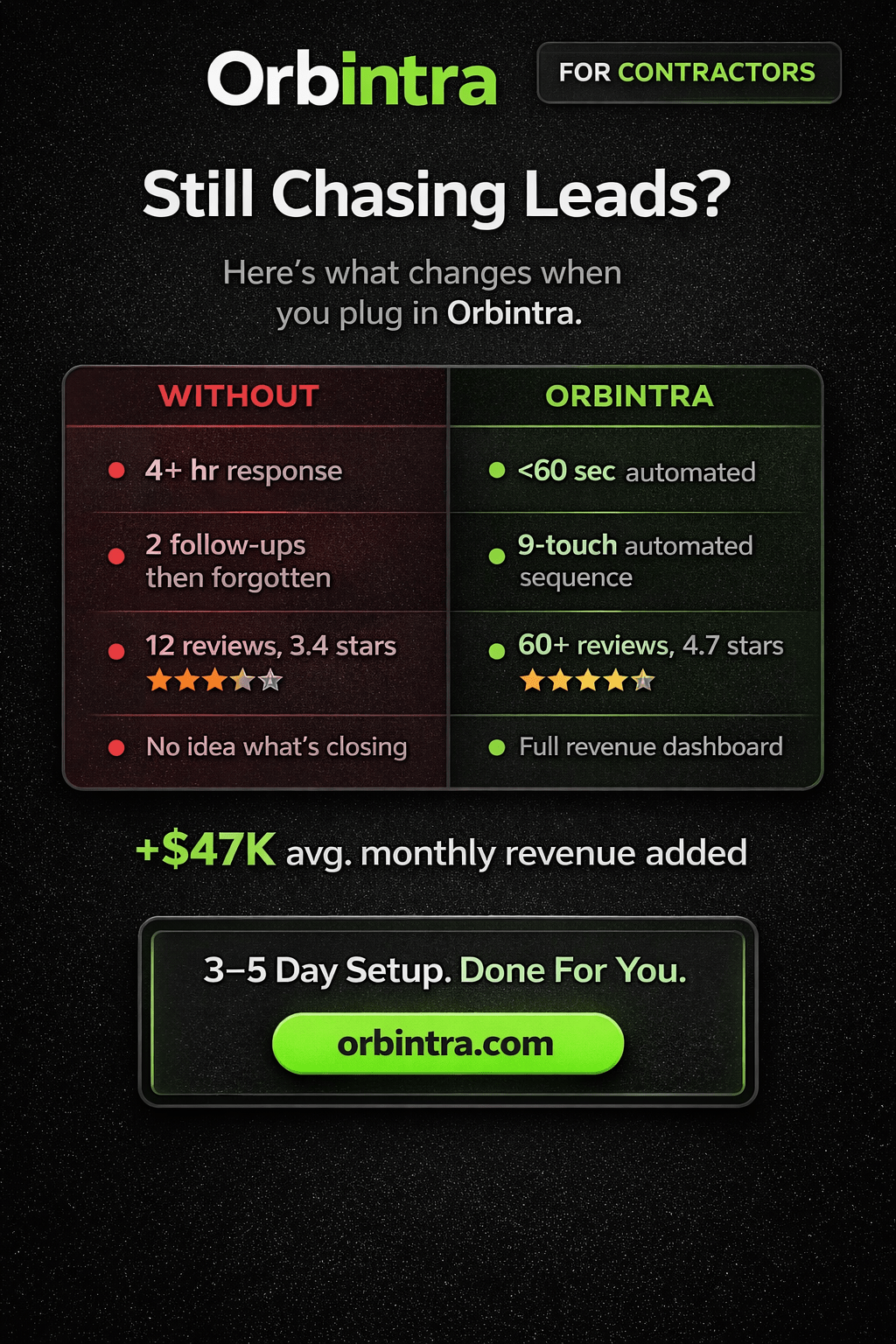
💡
How to use these ads: Click any creative below to open the full-resolution image in a new tab. Right-click and “Save Image As” on desktop, or long-press to save on mobile. Post to your Instagram Stories, Facebook feed, TikTok, or use as a DM attachment when reaching out to prospects. Always include orbintra.com in your caption or bio link so leads land in the right place.